
FTTH Drop Cable Clamp Installation: A Practical Field Guide
A well-installed FTTH drop cable clamp transfers the span load to the support while protecting the cable. It should not crush the jacket, create a sharp bend or leave the connector carrying the aerial span tension.
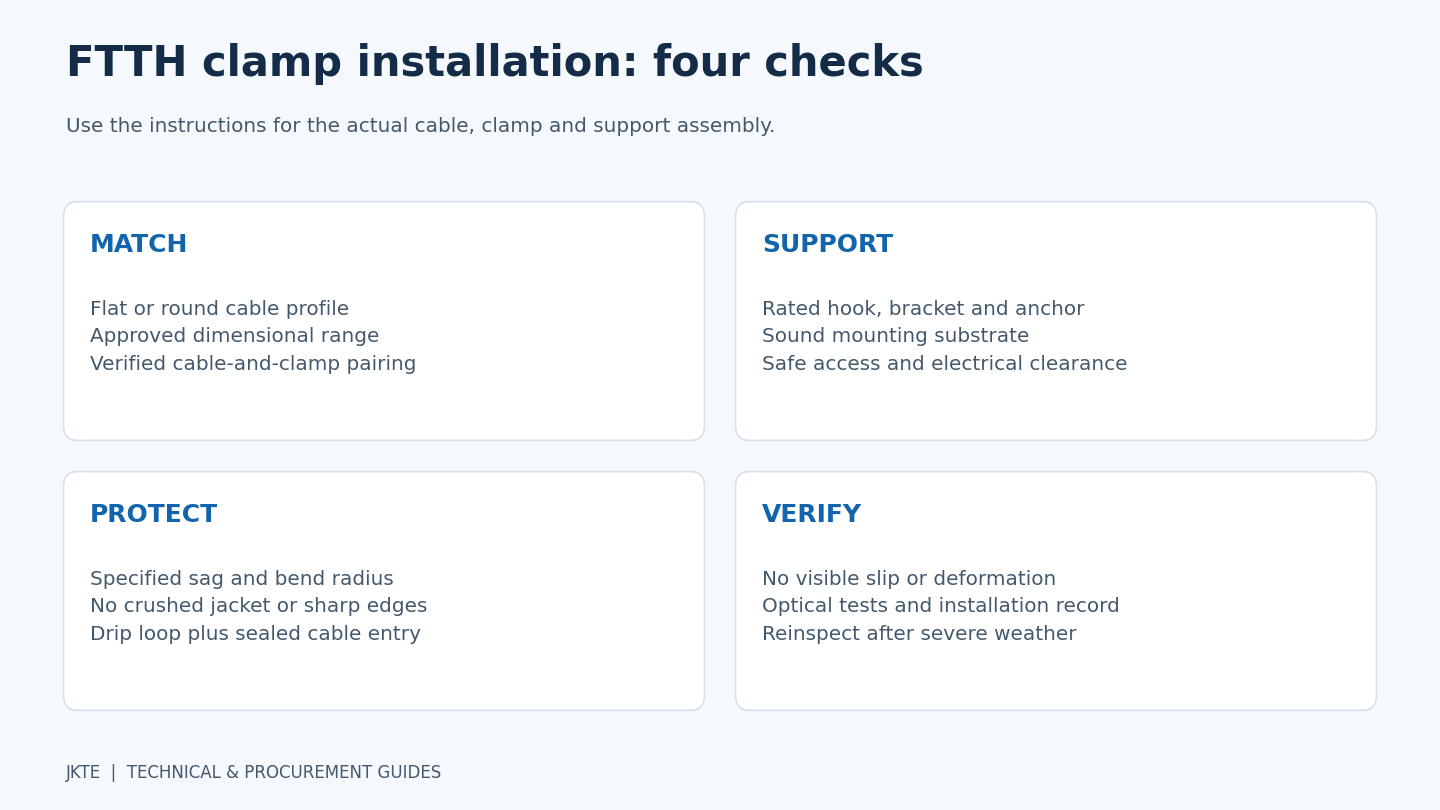
This FTTH drop cable clamp installation guide brings together selection, preparation and inspection checks for contractors and installation teams. The sequence is a general field reference. Use the approved instructions for the actual clamp, cable and support assembly; different wedge, wrap-type and messenger-gripping designs are not installed in exactly the same way.
Identify the fitting’s job before choosing a model
Product names vary between suppliers. A drop cable clamp may refer to a tension fitting, a suspension fitting or a simple routing clip. Ask what load the component is designed to carry.
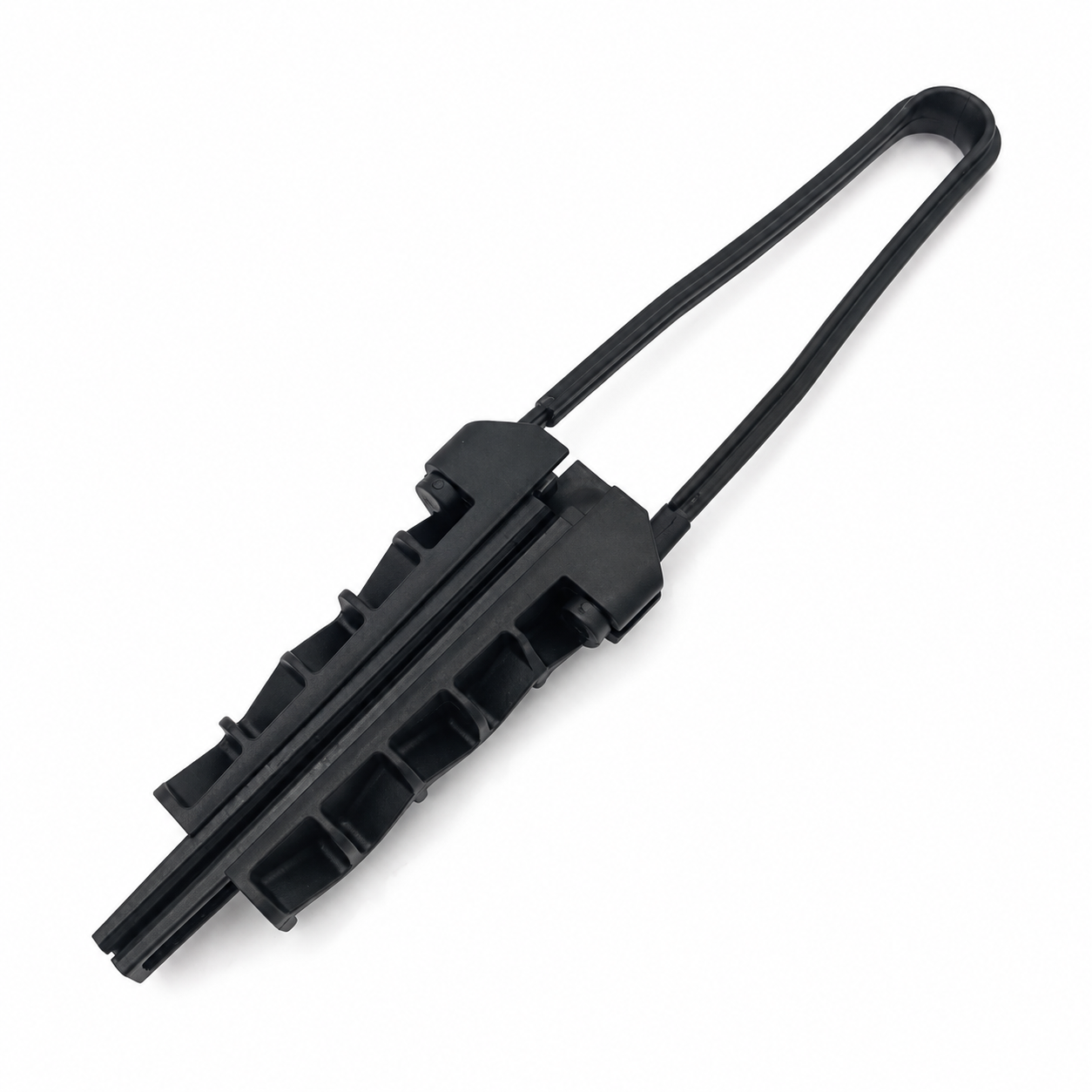
- Anchor or dead-end clamp: transfers longitudinal span tension to a rated attachment at a termination or other designed anchor point.
- Suspension clamp: supports the cable at an intermediate location within its approved loading and line-angle limits.
- Routing clip or down-lead support: organizes cable along a wall or pole. Do not use it as an aerial dead-end unless it is specifically rated for that duty.
A mechanical clamp does not split the optical signal. Optical splitters perform that separate function inside the appropriate network equipment.
Check cable compatibility and site conditions
Confirm whether the cable is flat or round and check its actual dimensions against the clamp’s approved range. The gripping surface must suit the cable construction. A fitting intended to grip a separate messenger cannot automatically be used on an all-dielectric cable jacket.
Obtain the cable’s maximum installation tension, permitted service loading, minimum bend radii and temperature limits. Then confirm the clamp-and-cable combination, the support hardware and the approved sag-tension schedule. There is no universal 10 m, 20 m or 30 m span threshold that selects the right clamp for every cable.
Also assess wind, ice where applicable, solar exposure, corrosion, traffic clearances and the condition of the mounting surface. A stronger clamp does not make an unsound pole or wall anchor safe. Work at height and near electricity must be performed by appropriately trained personnel using the required access equipment and local safety procedures.
Prepare the materials and tools
Have the approved cable, clamps, brackets, hooks, anchors and installation instructions on site. Use suitable handling and tensioning equipment, and a torque tool where a specified tightening torque applies. Prepare the optical test equipment required by the project.
Inspect the cable for cuts, kinks or crushed sections. Check fittings for cracked bodies, bent bails, missing parts and sharp edges. Keep rejected components separate. Do not strip a cable jacket, remove a messenger or alter a wedge unless the instructions for that exact assembly require it.
Step-by-step installation checks
1. Establish sound attachment points
Confirm the pole, wall or bracket location against the route design. Install the specified anchor hardware into a suitable substrate and observe its tightening instructions. Check load direction and clearance for the clamp bail or hook. An improvised attachment can become the weakest part of the assembly.
2. Route the cable without twisting or scraping it
Handle the cable so that it does not drag over sharp edges. Maintain the manufacturer’s minimum bend radius during handling as well as after installation. Corning’s self-supporting cable installation procedure reinforces the need to respect pulling, bending and crushing limits; use the limits for your own cable rather than transferring values from another model.
3. Position the cable in the correct gripping area
Align the flat or round profile with the intended channel. Fit the wedge, shim or other parts in the manufacturer’s specified order and orientation. Do not add tape, extra cable pieces or improvised packing to compensate for a size mismatch.
4. Engage the clamp as instructed
For a wedge-type fitting, seat the components using its approved procedure. Do not hammer the wedge, squeeze the body with pliers or add an unapproved fastener. Some designs are self-tightening under load; this does not mean that every clamp should be tightened by the same method.
5. Set the designed sag and transfer the load
Use the approved sag-tension information for the span and installation conditions. A cable that looks straight is not necessarily correctly tensioned. Transfer load in a controlled manner using the specified equipment and sequence. Check that the fitting remains aligned and that the jacket does not visibly slip or deform.
6. Protect the enclosure or building entry
Where the entry design requires a drip loop, route the cable so that water drains below the entry before the cable rises toward it. Size the loop to preserve the cable’s minimum bend radius and the enclosure manufacturer’s requirements. A fixed 15–20 cm loop is not suitable for every cable. Use the specified cable gland or seal as well: a drip loop does not make an unsealed entry waterproof.
7. Organize the down-lead and spare cable
Support the non-tensioned section without crushing it. Keep service loops clear of abrasion points and moving parts. In multi-dwelling installations, label individual drops and avoid routing one customer’s cable so that it pulls on another. Maintain access for later replacement.
8. Record mechanical and optical acceptance
Inspect attachment security, cable position, clearances, bend radii and entry sealing. Complete the specified optical tests and retain baseline results. A gentle hand check may reveal an obvious loose part, but it does not demonstrate a rated holding load or prove that the fiber is undamaged. Do not perform an improvised proof-load test on an installed live cable.
Common problems and the right response
- Cable slipping: check the size range, construction, assembly orientation and actual loading before simply tightening harder.
- Jacket flattening or cuts: stop and assess the cable and clamp. Repositioning a visibly damaged section may not be an acceptable repair.
- A sharp exit bend: correct the attachment alignment and routing while maintaining the required radius.
- Water entering an enclosure: inspect the entry seal and routing, not just the clamp.
- Repeated faults after wind: review the whole span, supports and vibration exposure rather than replacing the same fitting without investigation.
Inspection after handover
Set inspection intervals according to the network owner’s maintenance plan and site exposure. After severe weather or a reported optical fault, inspect for movement marks, corrosion, cracked bodies, bent hardware, abrasion and changes in sag. Compare optical readings where the maintenance procedure requires it.
Replace damaged components and follow the manufacturer’s reuse policy. Do not assume a removed self-locking fitting is reusable, or that every removed fitting must be discarded regardless of design.
Frequently asked questions
Can one clamp fit both flat and round drop cable?
Only if the manufacturer explicitly approves both constructions and dimensions. Similar external size does not establish compatibility.
Does a long span always need a heavier clamp?
The selection depends on the cable and calculated load cases, not length alone. The cable itself and the support assembly may also need to change.
How long should an outdoor clamp last?
Service life depends on material, design, exposure, loading and maintenance. Request product-specific evidence and warranty terms rather than relying on a universal lifetime claim.
Ask for a matched fitting
For a JKTE inquiry, send the cable drawing or datasheet, dimensions, span information, mounting arrangement and quantity. Compare our anchor clamp range, suspension clamps and cable brackets, or contact us for selection support.